Delete Your Account
How to delete
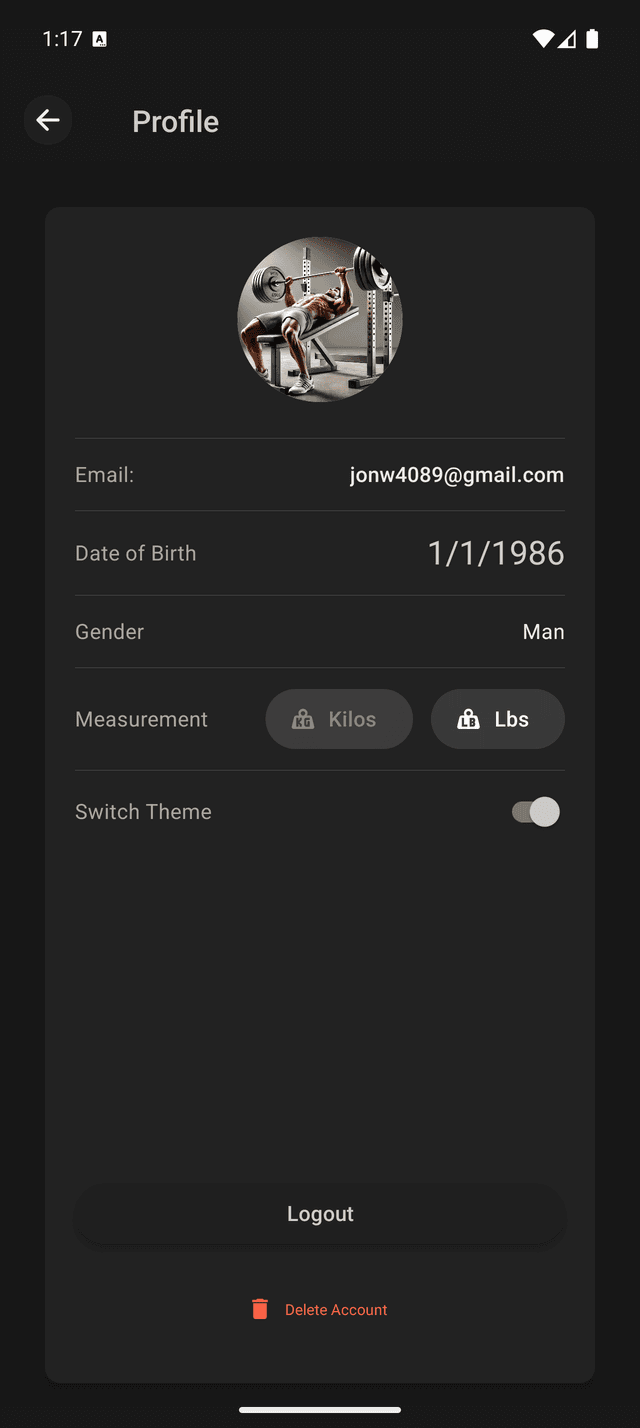
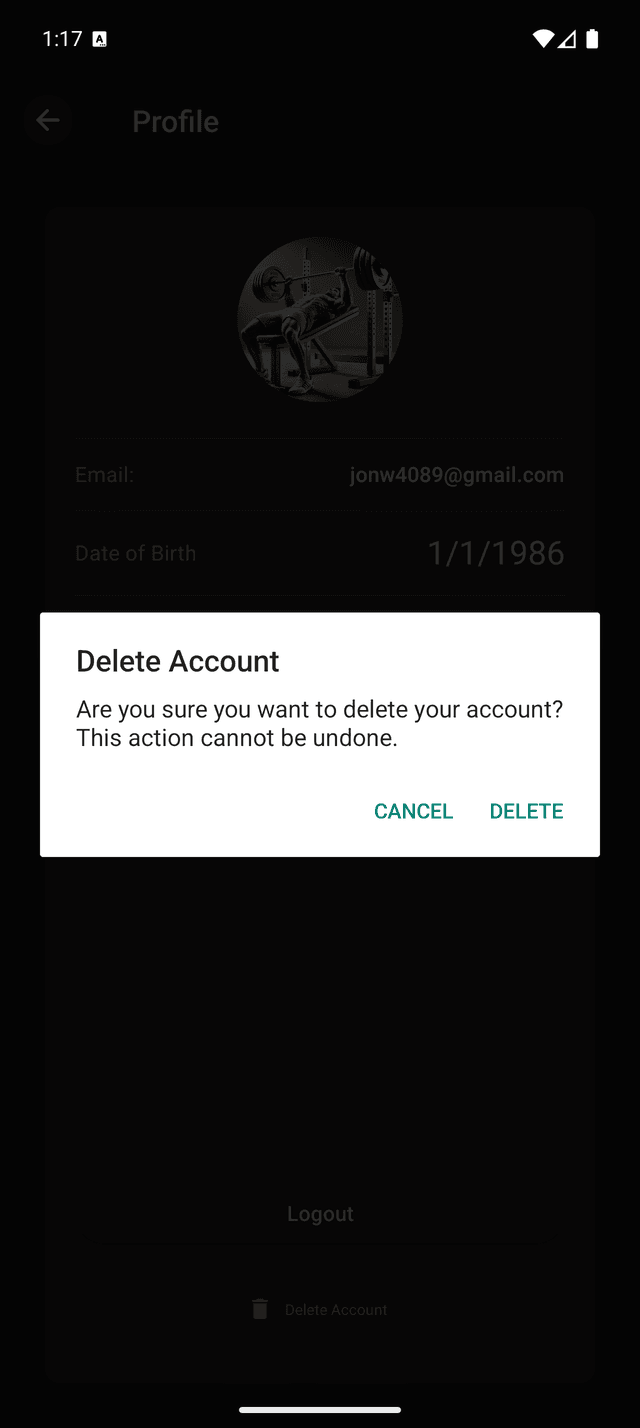
Open the Training Overload Progression app, go to Profile → Delete Account, and confirm. There’s no need to send an email — deletion is immediate.
What is deleted
- Your account authentication
- Saved training programs
- Workout history, stats, and progress
- All personal preferences and settings
Deletion is permanent and cannot be undone. We do not keep any of your data after deletion.
How to DELETE your account: Step-by-step